Blog
6 Best Virtual Event Registration Platforms and Setup Tips
Compare 6 platforms for virtual event registration, from free tools to enterprise suites, plus how to handle time zones, links and no-shows.
Published November 14, 2026
Good virtual event registration does four things: it collects only the details you need, takes payment when the event is paid, shows every registrant the start time in their own time zone, and delivers the join link reliably. For small organisers in India running paid workshops, classes or webinars, Pi-Square is the simplest place to start. Eventbrite suits public events that depend on discovery, GoTo Webinar suits recurring webinars, and RegFox suits paid workshops with installment payments. Zuddl suits B2B teams running large virtual or hybrid programmes, and Cvent suits enterprise hybrid events.
Most registration trouble has little to do with your content. It shows up as “what time is that for me?” and “where is the link?” messages, and as a payment sheet nobody trusts. Many organisers patch together a form, a payment link and WhatsApp messages, then lose track of who paid and who got the link.
This article first sets out what a registration system has to handle for an online or hybrid event. It then reviews six platforms in the same format: what each offers, who it suits and what it costs. It closes with practical ways to raise signups and attendance.
What virtual event registration has to handle
A virtual event registration system has to do jobs that a venue-based event never faces: capture the attendee’s time context, deliver the join link, collect payment if the event is paid, and manage access after the session ends. Judge any platform against those jobs before you look at its extras.
Fields, time zones and join links
Keep the form short, because there is no venue, seating or catering to plan. You usually need:
- Name and email, since the join link goes to the email
- A mobile number, if you will send reminders on WhatsApp
- Time zone or city, only if your audience spans several zones
- Ticket type or session choice, if you offer tiers or tracks
Every time you state the start time, write the time zone next to it. If your whole audience is in India, “7 PM IST” is enough. For an international audience, add an add-to-calendar link to the confirmation so each person’s calendar does the conversion.
The join link is your venue address. Put it in the confirmation and repeat it in the final reminder, near the top of the message, so nobody has to dig through an inbox minutes before the start.
Every registrant should know when the event starts in their own time and where to click when it does.
Payment, sessions and on-demand access
Paid events need checkout at signup, ideally with UPI or card options and a receipt or invoice. Multi-session conferences should let people pick sessions while registering, so you can plan rooms and send session-specific reminders. Decide early whether recordings are included, sold as an add-on or reserved for a higher tier. Many people register intending to watch later, and a clear on-demand rule turns them into customers instead of complaints.
When you compare platforms, check these points:
- Editable confirmation and reminder messages
- Ticket tiers, early-bird pricing and discount codes
- Payment methods you actually use, plus invoices
- Attendee list export and check-in or approval controls
- Integrations with your CRM or email tool, if you have one
For the international tools below, also confirm rupee billing, UPI support and GST invoicing before you commit.
The six options at a glance
The table sorts the six platforms by pricing model and best fit. Rival pricing is described by model, because rate cards change and differ by country.
| Platform | Pricing model | Best fit |
|---|---|---|
| Pi-Square | Free plan, paid plans from ₹300/month | Small organisers selling workshops, classes and ticketed events |
| Eventbrite | Fee per paid ticket | Public events that rely on discovery |
| GoTo Webinar | Monthly subscription, billed annually | Recurring webinars and lead generation |
| RegFox | Per-registration fee | Paid workshops, camps and classes |
| Zuddl | Demo and quote | B2B virtual and hybrid programmes |
| Cvent | Enterprise contract | Large, complex hybrid events |
1. Pi-Square
Pi-Square suits you if you run paid or free workshops, classes or ticketed events in India and want a shareable registration link without technical setup. It handles the signup and the payment, not the live session.
What it offers for registration
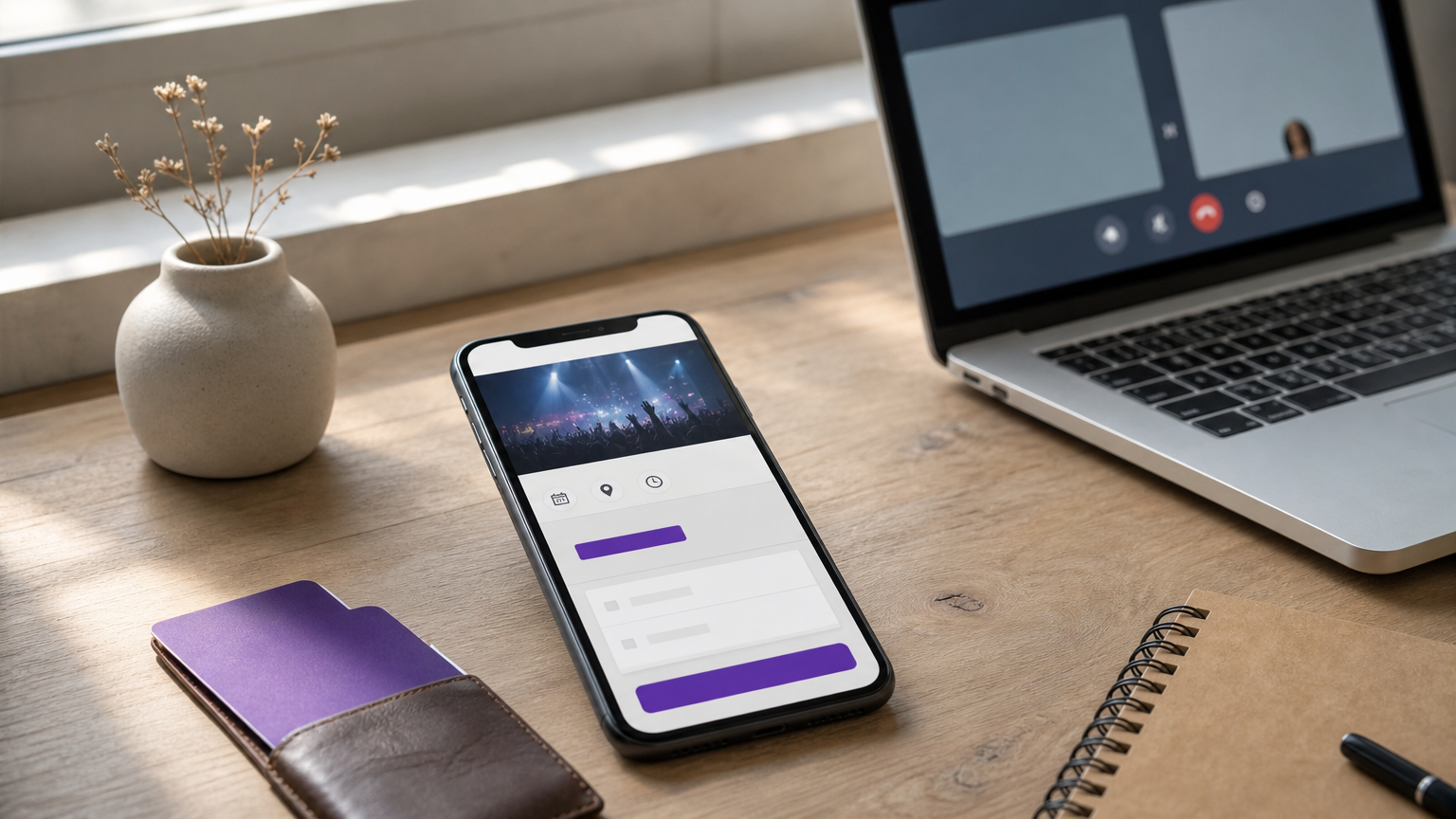
You create your link in the Pi-Square mobile or web app in minutes. Registrants open it in a browser, so nobody installs an app. The event booking demo on the site shows the format: tickets, registration details and advance payments in one place. Custom fields let you collect dates, numbers, appointment slots and short answers, and add paid options.
- Custom fields for registrant details, such as city, role or a question for the speaker
- Paid options, for example a charge for recording access
- Discount coupons with percentage or fixed amounts, expiry dates, order limits and first-order controls
- Gateway checkout, or free manual payment tracking for cash, UPI and other modes
- GST compliant invoices through simple settings
- Role-based team access, so a co-host can help manage the list
Who it suits and what it costs
Solo trainers, coaches, community hosts and small businesses get the most from it, especially if registrations already arrive over WhatsApp. It does not stream video, create join links or report live attendance. Host on Zoom or Google Meet and send the link to registrants yourself.
The Free plan costs ₹0 and allows 100 orders a month, 2 staff accounts and 100 items. Pro costs ₹300 a month or ₹3,000 a year and gives unlimited orders, 5 staff accounts, 1,000 items and a custom domain. Growth costs ₹1,000 a month or ₹10,000 a year for larger brands. Take a paid webinar with 150 tickets at ₹499: that is ₹74,850. Gateway charges are typically around 2%, about ₹1,497, and depend on the gateway you use. With Pro at ₹300, you keep roughly ₹73,053. Since 150 tickets pass the Free plan’s 100-order cap, Pro is the right plan here.
Pi-Square handles the signup and the money, and your video tool handles the session.
2. Eventbrite
Eventbrite works best for public, paid or casual events where being discovered by strangers matters as much as registration itself. It is widely recognised, so attendees rarely hesitate at checkout.
What it offers for registration
You build a branded event page, set several ticket types and add custom registration questions. Public event discovery is its main edge, because your listing can reach people who do not follow you. Ticket scanning and attendance monitoring cover hybrid or in-person parts.
- Customisable event pages
- Multiple ticket types
- Custom registration questions
- Public discovery of your listing
- Ticket scanning and attendance monitoring
Who it suits and what it costs
It suits public classes, social gatherings and casual online events with basic registration needs. It is a weaker fit for professional conferences that need advanced attendee management, sponsor workflows or deep CRM sync. Setup is easy and the interface is friendly.
Eventbrite charges a percentage plus a fixed fee per paid ticket, so your cost grows with ticket price and volume. Check the rate card for India, including payout timing and rupee support, before listing.
Choose Eventbrite when strangers finding your event matters more than owning the registration workflow.
3. GoTo Webinar
GoTo Webinar fits recurring webinars, training sessions and product demos where registration quality and attendance analytics matter most. It is a webinar tool first, so registration is built around the webinar.
What it offers for registration
You can approve or reject registrants and restrict access by email domain, which helps with closed or customer-only sessions. Source tracking shows which channels produced registrations, and CRM integration, including HubSpot, moves attendee data into your pipeline.
- Approve or reject registrants
- Restrict registration by email domain
- Source tracking for registration channels
- CRM integration
Who it suits and what it costs
It suits marketers and trainers who run webinars on a schedule and measure registrations by channel. It is not designed around elaborate ticket, package or multi-session structures, and the base plan has limited event management features.
Pricing is a subscription, listed from about $59 a month billed annually, in US dollars. Factor in currency conversion and compare it with your expected number of webinars per year.
Pick GoTo Webinar when you run the same kind of webinar repeatedly and need to know where signups came from.
4. RegFox
RegFox suits paid workshops, camps and classes where you want control over how people pay. Its registration flow is strong on money handling and light on analytics.
What it offers for registration
The platform focuses on registration economics. You can add optional convenience fees, take card-on-file registrations for later purchases and support installment payments. It also offers purchaser protection with a full refund and liability waivers inside the registration flow.
- Optional convenience fees
- Installment payment support
- Card-on-file registration
- Purchaser protection with full refund
- Liability waivers in the flow
Who it suits and what it costs
It suits organisers of multi-week courses, bootcamps and paid workshops who want to split payments or add extras at checkout. Integrations with CRM and association systems are limited, and reporting is basic.
The standard plan is listed at $0 a month plus $0.99 and 1% per registrant, in US dollars. That keeps small events cheap, but confirm that payments and payouts work smoothly for Indian attendees and bank accounts.
RegFox rewards organisers who sell paid courses in installments and care about checkout flexibility.
5. Zuddl
Zuddl suits B2B marketing teams that run virtual and hybrid events or webinars as a growth channel. It is a unified platform, so registration sits next to the event app, landing pages and reminders.
What it offers for registration
Registration happens on branded landing pages, and the platform sends automated reminders ahead of the event. Zuddl also describes CRM sync, audience segments, custom communications and approval handling, so registration data feeds your marketing stack.
- Branded event landing page builder
- Automated reminders to registrants
- Approval handling for registrations
- CRM sync and audience segments
- A branded event app for the live programme
Who it suits and what it costs
It suits marketing teams running multi-session summits, user conferences or demand-generation webinars with sponsors and large audiences. It is more platform than a solo coach or small shop needs.
Zuddl is demo-led, so you request a quote instead of reading a price list. Ask what the quote includes: registration, event app, integrations and support.
Zuddl makes sense when registration is one step in a marketing programme, not the whole event.
6. Cvent
Cvent is built for large, complex events, including hybrid events where attendees also book hotels and travel. It covers almost any registration requirement, at the cost of setup effort.
What it offers for registration
Highly granular registration paths are its strength, supported by approval workflows, pre-populated forms and integrated payments. It also links registration to hotel room requests and travel reservations, and provides extensive analytics.
- Built-in registration approval workflows
- Pre-populated registration forms
- Integrated payment processing
- Hotel and travel requests alongside registration
- Extensive analytics
Who it suits and what it costs
It suits corporates, associations and agencies running summits or trade shows with many attendee types and a dedicated events team. Expect a steeper learning curve and a more complex setup than the other tools here.
Access is through an enterprise contract, so pricing is custom. For a small online event, the contract and setup time rarely make sense.
Cvent earns its cost only when your registration rules are complex enough to need it.
How to get more registrations and fewer no-shows
Registration only counts if people turn up, so improve both ends. Reward early signups, stay in touch until the session, and follow up with everyone afterwards.
Reward early signups
Early-bird pricing gives people a reason to commit now. Release the full price and the early price together and set a clear deadline. For a 200-seat workshop, sell the first 50 seats at ₹399 and the remaining 150 at ₹499. That brings in ₹19,950 plus ₹74,850, or ₹94,800 in total. You give up ₹5,000 against selling every seat at ₹499 and get early commitment in return.
Name your speakers prominently on the registration page, because recognisable names lift signups. A coupon with an expiry date or a first-order rule also works for targeted offers.
Keep registrants warm until the session
A signup is not attendance. Send a few well-timed messages and keep each one short:
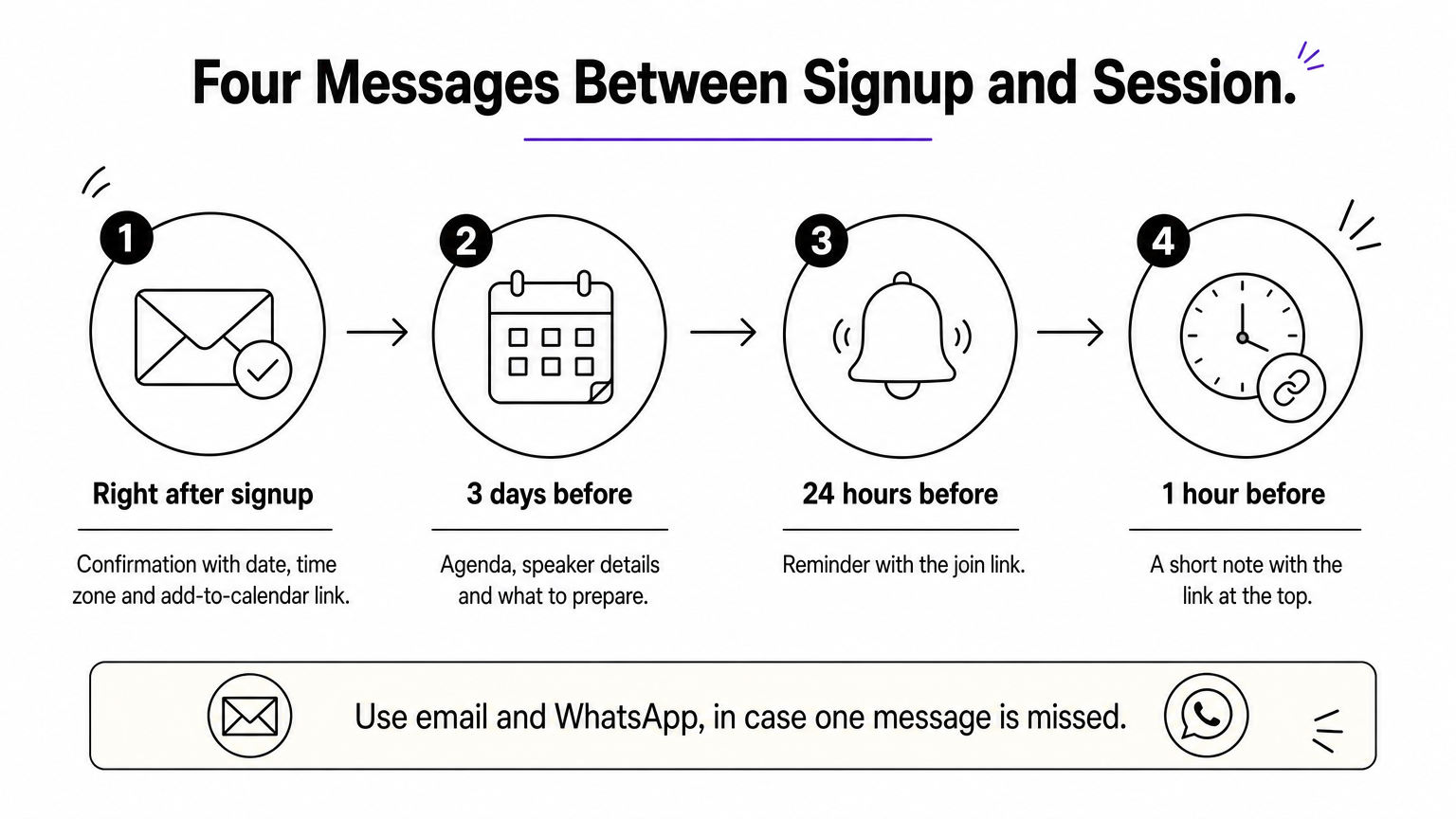
- Right after signup: confirmation with date, time zone and add-to-calendar link
- 3 days before: agenda, speaker details and what to prepare
- 24 hours before: reminder with the join link
- 1 hour before: a short note with the link at the top
Use more than one channel, such as email and WhatsApp, in case one is missed. Do not spam, because extra reminders push people to unsubscribe. A simple resource page with the agenda and an FAQ also saves you repeat questions.
Follow up after the event
Send the recording and any slides to everyone who registered, including those who did not show up. Ask no-shows why they missed it, because their answers expose problems in timing, reminders or promotion. A short survey of three or four questions to attendees tells you what to change next time.
The best way to improve your next registration page is to study the people who signed up and did not come.
Where to go from here
Match the tool to your event. Small organisers selling workshops or classes need a short form, reliable payment and a clear join link. Public events need discovery, webinars need source tracking, and enterprise programmes need approvals and integrations. Whatever you choose, state the time zone everywhere, repeat the join link in your reminders, and plan recordings from the start.
If you run paid or free online sessions in India and want a registration link live today, set up a registration link on Pi-Square and start on the free plan. Pair it with your usual video tool, then upgrade when your volume grows.