
Blog
Payment Link Generator: How to Create a UPI Link for Free
Use a free payment link generator to create a UPI link and QR code in minutes. Get the steps, link format, sharing tips and how to confirm payments.
Published November 24, 2026
The quickest way to get a UPI link is to use a free payment link generator. Enter your UPI ID, add an optional amount and a note, then copy the link or download the QR code. You can generate a UPI payment link in under a minute, pay no fee, and collect money without a website or a payment gateway account.
Most small sellers in India still collect money by typing a UPI ID into a WhatsApp or Instagram chat and hoping the customer copies it correctly. Amounts get mistyped, payments arrive with no note, and you end up scrolling through chats and DMs to work out who paid for what. A proper link fixes most of that, but only if you choose the right type and set it up carefully.
This guide walks you through four steps: choosing a generator, creating the link and QR code, sharing and testing it, and confirming payments. You will also see how a UPI link is built, so you can make one by hand, and where a single link stops being enough.
What a UPI payment link is and what you need
A UPI payment link is a web address that opens the customer’s UPI app with your payee details already filled in, and often the amount too. The customer checks the details and enters their PIN. The money goes straight from their bank account to yours.
How a UPI payment link works
The link carries a few parameters: your UPI ID, your name, an amount and a note. A QR code holds the same data as an image, so a customer can scan it from a printed card or another phone. Because the payment runs on UPI, it works in Google Pay, PhonePe, Paytm, BHIM and other UPI apps, and UPI payments to a bank account carry no merchant fee.
A UPI link and a UPI QR code are the same instruction in two formats, so make both once and use whichever suits the customer.
What to have ready
Gather these before you open any tool. It saves you from regenerating the link.
- Your UPI ID, found under Profile in any UPI app (for example, yourname@okhdfcbank).
- The name on your bank account, so customers see a match.
- The amount, if it is fixed.
- A short note, such as an order number.
- A second phone, or a friend’s UPI app, for a test payment.
Step 1. Choose a free generator or a gateway link
Pick a free UPI ID generator when you want a link in a minute at no cost. Pick a gateway payment link when you need automatic confirmation, reminders or expiry dates and accept a fee for them.
Free UPI ID generators
These are browser tools where you type your UPI ID. Most need no signup and run in your browser. The link sends money directly to your bank account, so there is no settlement wait and no fee. The catch is that the tool cannot tell you a payment arrived. You check that in your bank or UPI app.
Gateway payment links
A payment gateway issues links from a dashboard, usually with expiry dates, reminders and instant notifications. You need an account first, and the gateway charges a percentage per transaction, often around 2% of the order value.
| Free UPI ID generator | Gateway payment link | |
|---|---|---|
| Setup | None, just your UPI ID | Gateway account and business details |
| Cost | No fee | Percentage per transaction, often around 2% |
| Payment confirmation | You check your bank or app | Dashboard and notifications |
| Expiry and reminders | No | Usually yes |
| Best for | Advances, occasional collections, small sellers | Higher volumes and repeat customers |
Take a ₹1,500 order. A gateway at 2% takes ₹30, so you receive ₹1,470. A direct UPI link to your own ID delivers the full ₹1,500.
Start with a free UPI link, and move to a gateway only when confirming payments by hand costs you more than the fee.
Step 2. Create the link and QR code
Open the generator, enter your UPI ID, amount and note, then copy the link and download the QR as a PNG. The whole job takes under a minute.
Fill in the generator
Follow these steps in order.
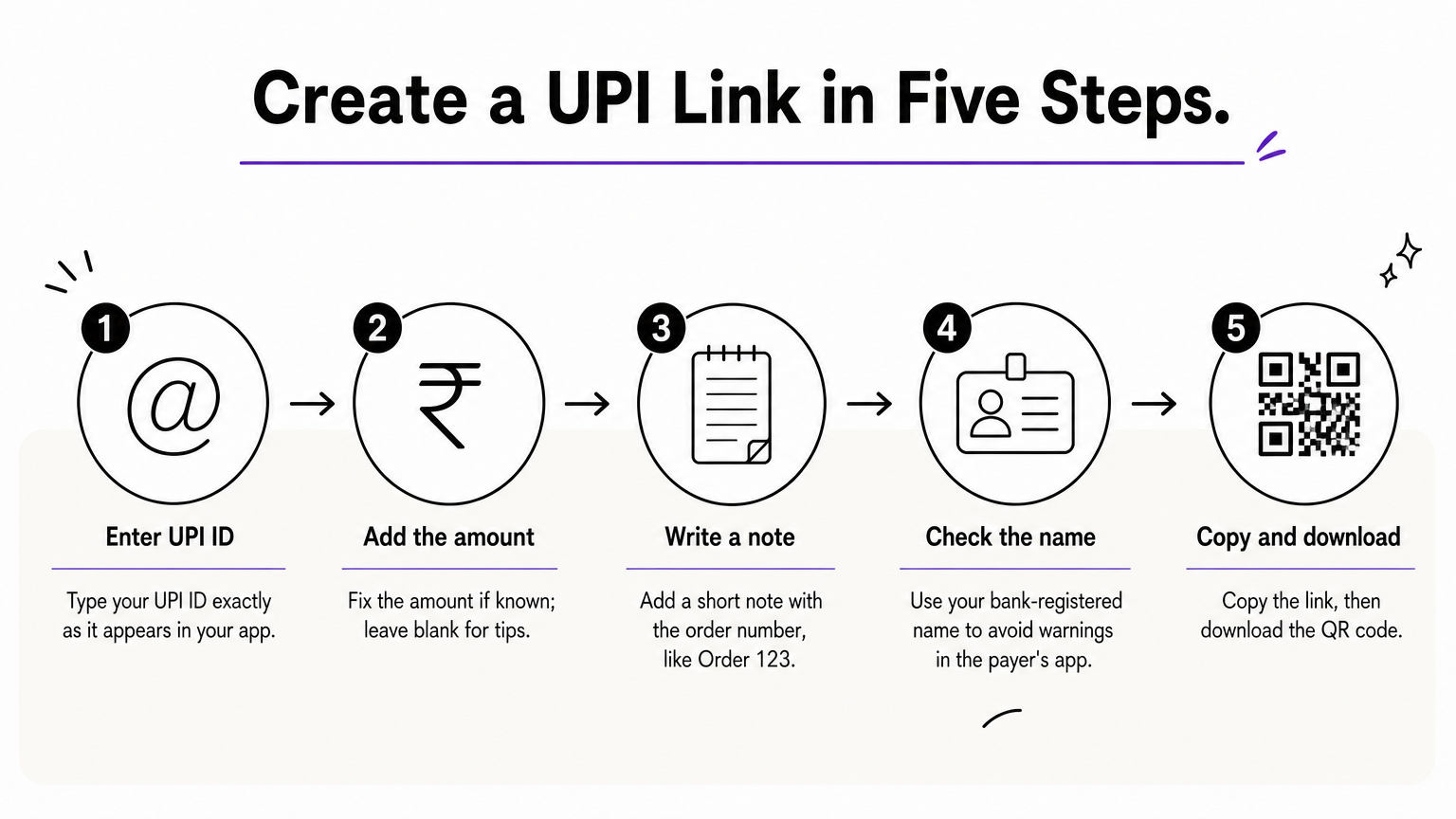
- Enter your UPI ID exactly as it appears in your UPI app.
- Add the amount if it is fixed. A fixed amount stops the customer mistyping it. Leave it blank for tips or variable bills.
- Write a short note with the order number, such as “Order 123”.
- Use your bank-registered name, or leave the name empty if the tool allows it. A mismatched name can trigger warnings in the payer’s app.
- Copy the link, then download the QR code.
Fix the amount inside the link and the customer cannot mistype it.
Build the link by hand
You can make a UPI link without any tool. Here is a ₹500 advance for a bakery order:
upi://pay?pa=sweetcrumbs@okhdfcbank&pn=Sweet%20Crumbs&am=500.00&cu=INR&tn=Advance%20for%20order%20123
The pa value is your UPI ID, pn is your name, am is the amount, cu is the currency (always INR) and tn is the note. Write spaces as %20. Plain upi:// links often do not become tappable in chat apps, which is why most generators wrap them in an https link that redirects to the UPI app.
Step 3. Share and test the link
Send the link where your customer already is, and pay ₹1 from another phone before you share it widely. A two-minute test catches nearly every setup error.
Where to share the link
Use the link in chats: paste it into WhatsApp, Instagram or Facebook DMs, SMS or email right after you confirm the order, with the total written in the message. Use the QR code in person: print it for your counter, put it on invoices or packaging, or add it to an Instagram story. Customers who see a QR can scan it from the same phone only by saving the image, so for phone-to-phone sales the link works better.
Test before you rely on it
Scan the QR or tap the link from a different phone and pay ₹1. Check that your UPI ID, name, amount and note all appear correctly. If the app shows a name you do not recognize, fix the details before sharing. Some apps ask for extra confirmation when a customer pays a new payee for the first time. Tell customers this is a security check and not an error.
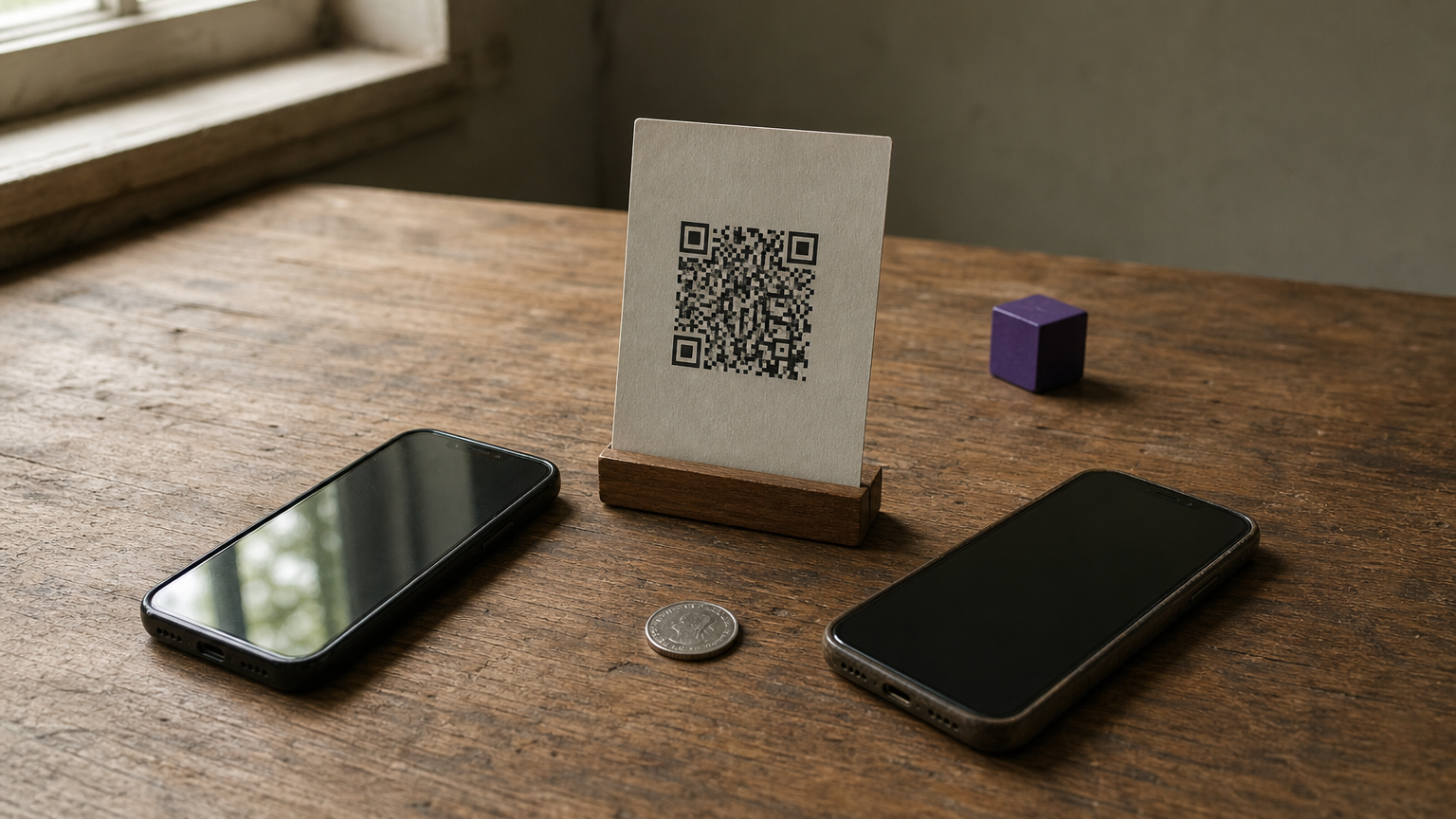
A ₹1 test payment from a second phone is the cheapest way to prove the link works.
Step 4. Confirm payments and plan for growth
Confirm every payment in your own bank or UPI app, never from a screenshot, and move to a system that tracks orders when links start piling up.
Confirm every payment
Check the credit in your bank app or SMS, then match the note to the order. Screenshots of a “successful” payment can be faked, so release goods only after the money shows in your account. Banks and apps set per-transaction and daily limits, so for large amounts check your bank’s limit first. If you collect regularly, use a UPI ID linked to a business current account instead of your personal one, so your records stay clean.
Release the order only when the credit appears in your own account.
When one link is not enough
Once you send more than a handful of links a day across WhatsApp, Instagram and other social channels, matching payments to chats becomes the real work. Pi-Square gives you a shareable commerce link that works wherever you sell, on social media, in chats or in person, where customers browse, order or book, with free manual payment tracking for cash, UPI and other modes. You can also add a payment gateway and GST compliant invoices later. The Free plan costs ₹0 and covers 10 items and 30 orders a month. Pro costs ₹300 a month for 100 items, 300 orders a month and a custom domain. Growth costs ₹1,000 a month for 10,000 items and unlimited orders.
Send your first payment link today
A free payment link generator gives you a UPI link and QR code in about a minute. Choose a UPI ID generator for zero fees or a gateway link for automatic confirmation. Fix the amount where you can, test with ₹1, and confirm every credit in your own account before you hand over the order.
When links and chats across WhatsApp, Instagram and other social apps start to feel messy, put orders, payment tracking and invoices in one place. You can create your free commerce link with Pi-Square and let customers pay and order from a single shareable link.