Blog
Free Online Catalog Maker: 5 Tools for Non-Designers
Compare five free online catalog maker options, from WhatsApp-ready shareable catalogs to PDF flipbooks, and pick the right one for your products.
Published November 17, 2026
The best free online catalog maker is the one that matches how your customers will see your catalog. If they buy on WhatsApp, Pi-Square gives you a shareable catalog link that also takes orders. If you send price lists to wholesale buyers, Catalog Machine fits. If you already have a designed PDF, Flipsnack turns it into an interactive flipbook. Marq suits you if you want a polished brochure from a template. Template.net works if you only have a spreadsheet and no time. A good pick has usable templates, easy product import, simple sharing, and a free plan that does not stall at your first real catalog.
Most small sellers share the same problem. Your photos, prices and descriptions are scattered across a phone gallery, a spreadsheet and old chats, and you have no designer and no software budget. A careless catalog costs you orders, and a tool that locks the download behind a paywall wastes your afternoon.
This article compares five tools you can start using for free, whether you want to create an online catalog, a PDF or both. Each one gets the same two checks: what it does, and who it suits along with what “free” means in practice. Free limits change often, so confirm them on each pricing page before you commit.
1. Pi-Square
What it does and how it works
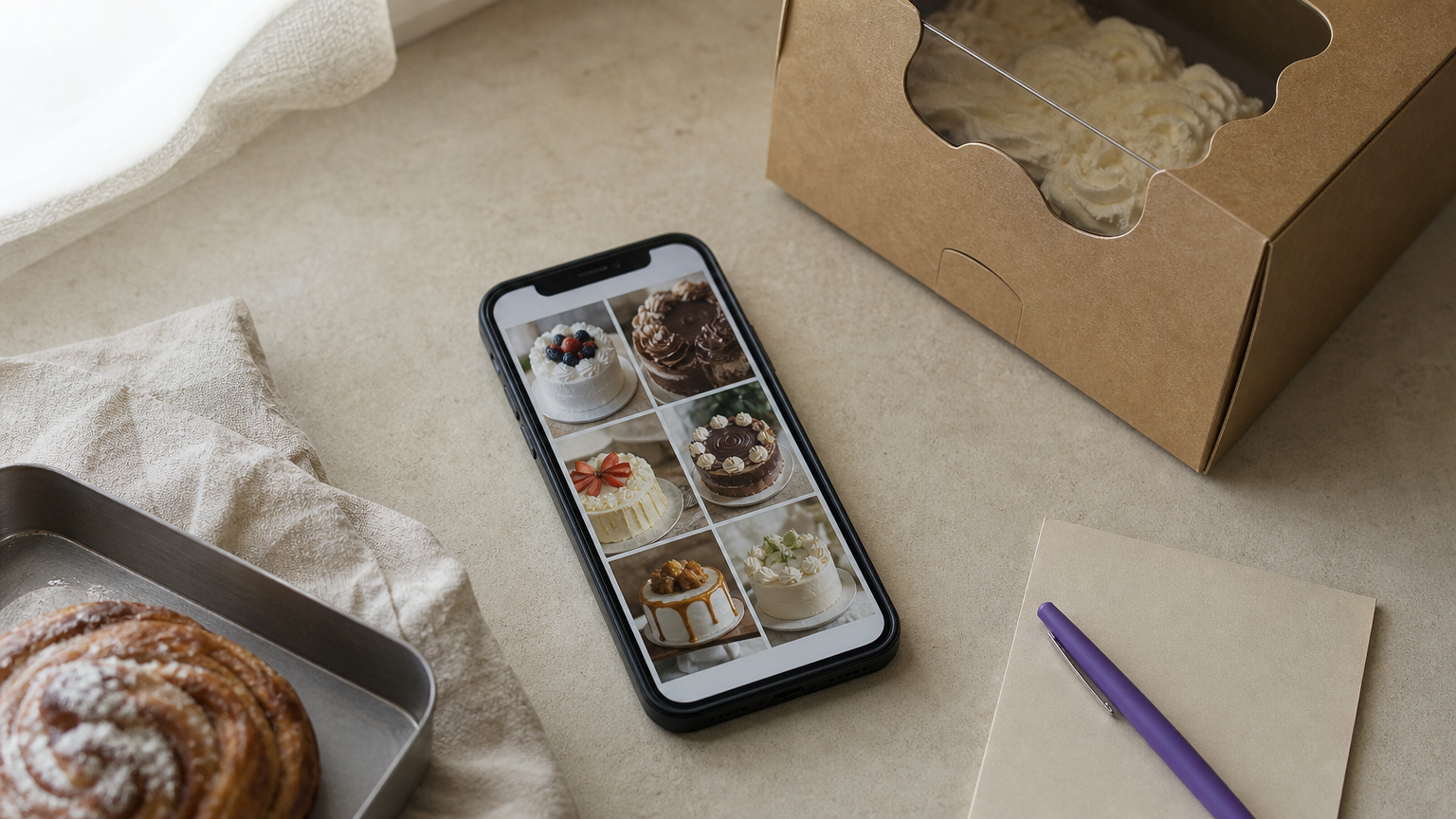
Pi-Square turns your products, services or bookings into a shareable catalog link that customers open in a browser, with no app to install. You build it in minutes from the mobile app or web app. You add photos, videos, rich descriptions, variants and add-ons, and the catalog can grow to thousands of items. You also control how it looks. You can pick a light or dark mode and a brand color, add a hero banner, an announcement strip or a testimonial carousel above and below the catalog, and create static pages for policies and FAQs. You do not need a designer for any of it.
Customers can browse, pay or message you from the same link, and you can keep taking orders on WhatsApp. The catalog has AI-powered search, availability toggles for sold-out items, and order tracking for direct, WhatsApp and manual orders. It is a catalog that takes orders, not just a brochure.
A catalog people can order from beats a catalog people can only look at.
Who it suits and what it costs
It suits small sellers in India who sell on WhatsApp or social media, such as home bakers, gift sellers, boutiques, clinics and event hosts. The limit is plain: it is built to be shared as a link, not designed as a printable brochure. For a print-ready PDF, use one of the tools below.
The Free plan costs ₹0 and includes 10 items, 30 orders a month, one staff account and no custom domain. It works for testing the link with a small menu or a handful of products. Pro costs ₹300 a month (₹3,000 a year) and covers 100 items, 300 orders a month, three staff accounts and a custom domain, which fits a baker with 40 cakes and add-ons. Growth costs ₹1,000 a month (₹10,000 a year) and adds 10,000 items, unlimited orders and ten staff accounts. Payment gateway fees are typically around 2% and go to the gateway, and manual payment tracking is free.
2. Catalog Machine
What it does and how it works
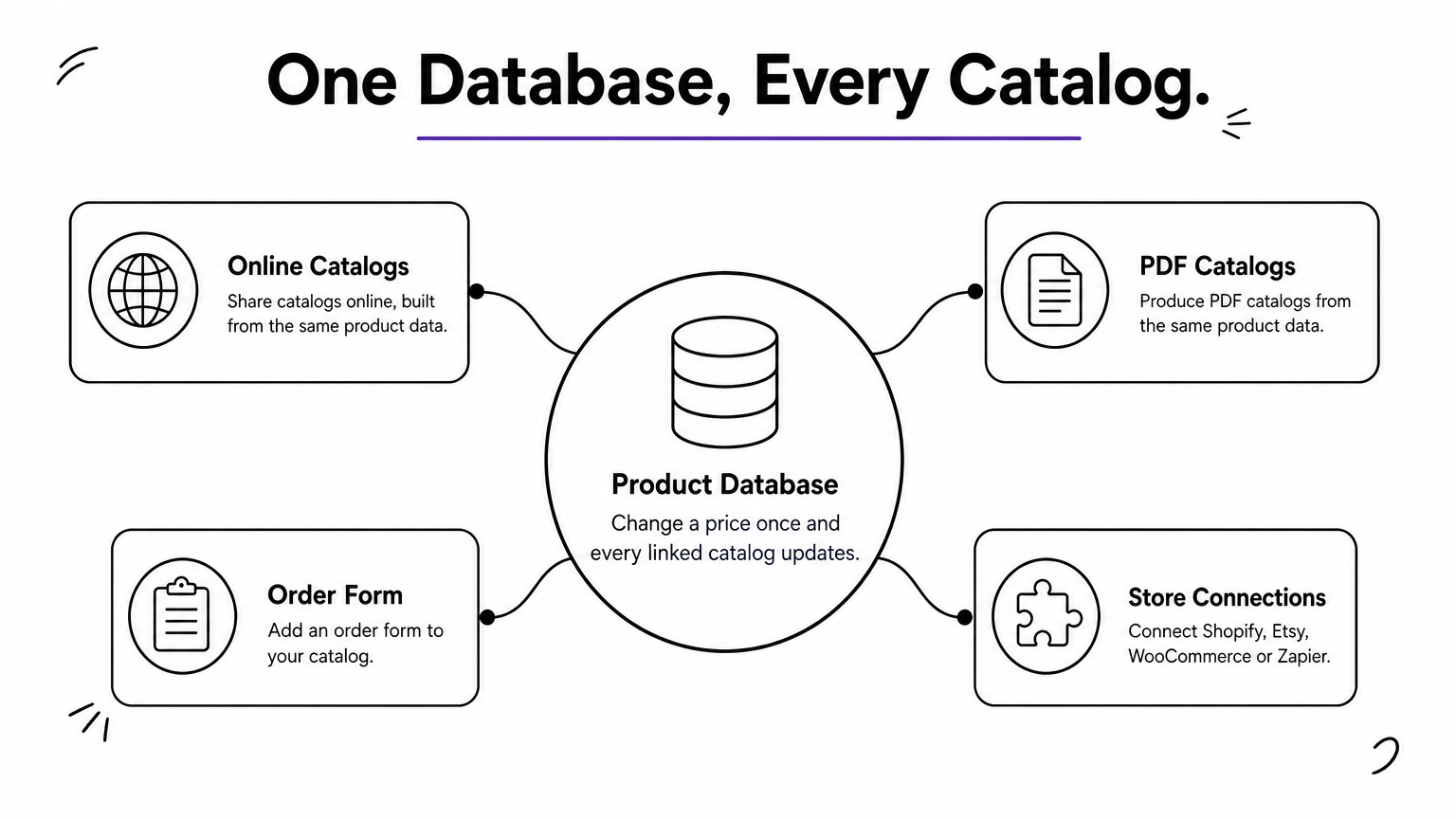
Catalog Machine builds online and PDF catalogs from one product database. You add products by hand, import a CSV, or let its AI Concierge build a catalog from a description or a pasted website URL. Then you pick from 50+ customizable templates.
The database is the real strength. When you change a price or a pack size, every catalog linked to that product updates automatically. You can also add an order form, set password protection, and connect Shopify, Etsy, WooCommerce or Zapier.
If your prices change often, a shared product database saves more time than any template.
Who it suits and what it costs
It suits wholesalers, manufacturers and retailers who keep several catalogs for different customer groups. Editing five PDFs after every supplier price change is exactly the chore it removes.
The site advertises free templates, but it does not state its free plan limits. Before building a large catalog, check how many catalogs and products the free tier allows. Also check whether PDF download and online ordering are included or reserved for paid plans.
3. Flipsnack
What it does and how it works
Flipsnack turns a PDF into an interactive online catalog, or lets you build one from scratch with free templates. Readers flip through pages on screen. You can add shopping links to products and watch live analytics to see which pages get attention.
Upload your existing PDF, choose a layout, add links and publish. Because the page already looks like a printed catalog, your design work stays intact. Its site names Electrolux and Pandora among the brands using it.
Flipsnack works best when the catalog design already exists and you only need it online.
Who it suits and what it costs
It suits brands with a designed catalog from an agency or in-house designer who want it to behave like a website. It is less suited to a seller with a bare product list, since you still need layouts and photos ready.
Free access here is a starting point, not a promise of unlimited publishing. Look at how many catalogs you can publish, whether branding is removed, and whether analytics are included. If you share a catalog with customers weekly, those limits matter within a month.
4. Marq
What it does and how it works

Marq is a template-based design tool with a free catalog maker for showcasing products, services or ideas. You start from a layout, swap in your photos and text, and adjust colors and fonts to match your brand. It also has a short video tutorial that walks through the editor.
This is the right category when the visual finish is what you are selling. Think of a boutique lookbook or a services brochure where layout and typography carry the pitch.
Pick a design-led tool when the look of the catalog is part of the product.
Who it suits and what it costs
It suits non-designers who want a good-looking brochure without learning professional software. You will enter product details manually, so it is slower than a database tool when you have hundreds of items.
Check three free-plan points first: whether you can export a PDF, whether the export carries a watermark, and how many designs you can save. A catalog maker free online that blocks the download defeats its purpose. Test with one page before you design twenty.
5. Template.net AI catalog generator
What it does and how it works
Template.net’s AI generator builds a structured catalog from what you already have. You can feed it a product list, a PDF, a spreadsheet, a URL or a plain business description. You get a first draft in seconds, then edit it.
The speed is the draw. If your products already live in a spreadsheet, you skip the blank-page stage entirely. Treat the output as a draft, because AI can misplace a price or invent a description.
AI gets you a first draft fast, but you still own the accuracy of every price.
Who it suits and what it costs
It suits sellers who need a catalog today and have clean product data. It is also a good way to test layouts before moving the final version to a tool with deeper editing.
The page markets the generator as free, but confirm the current terms on the site. Read every line of the draft against your price list, and check whether you can edit and download without a paid upgrade.
Choosing your catalog tool
Pick by how the catalog will be used. If customers order on WhatsApp, a catalog link that takes orders does more work than a brochure. If you send price lists to trade buyers, a product database keeps every version current. If design is the point, a template tool gives you the polish. Whichever you choose, test the free plan with a real catalog before relying on it, and check the download and branding limits first.
If you sell on WhatsApp or social media and want customers to browse and order without installing anything, you can start your free catalog link with Pi-Square and grow into payments, invoices and a custom domain later.